 Nitidea
Old photo restoration
Restore old photos on your PC: scratches, dust and colour
The prints in a family album fade, crack and pick up scratches and dust. Nitidea repairs them with artificial intelligence on your own Windows PC: it fills in the scratches and specks, colours black-and-white photos if you want, and enlarges them for a new print. Your photos are never uploaded anywhere.
Every Pro feature, no payment details. During the trial, restored photos carry a small watermark.
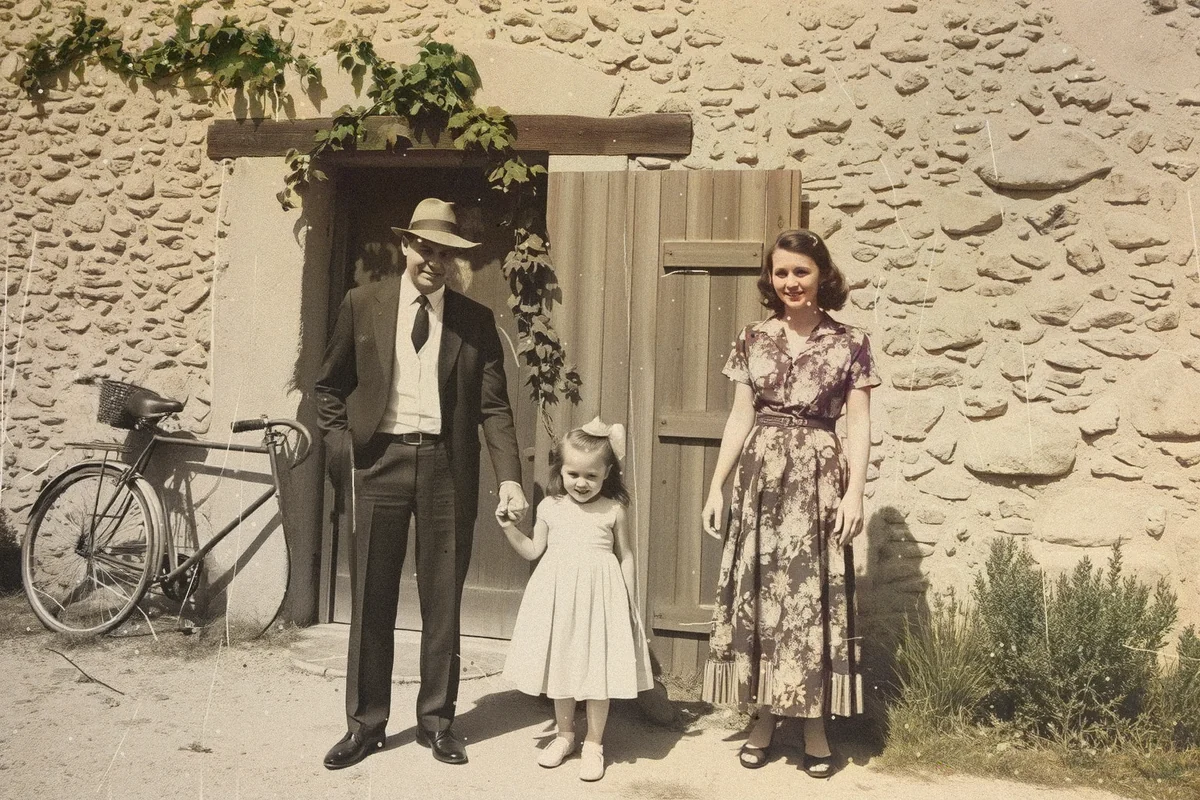 BeforeAfter
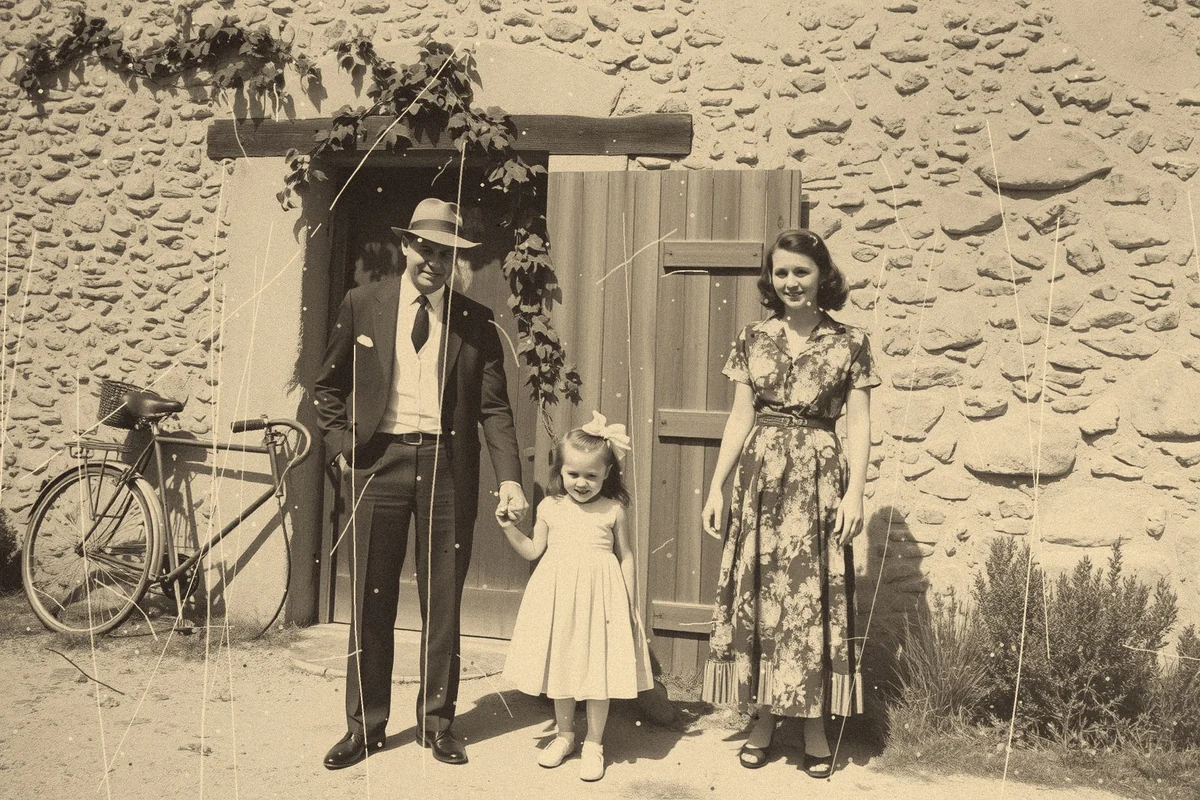
A sample picture created with AI, aged on purpose with scratches, dust and fading, then restored by Nitidea: Old photo, with Remove scratches and dust and Add colour. The colours are a likely guess. Drag the line.
What Nitidea repairs
Scratches and cracks
Remove scratches and dust finds the scratches, cracks and creases of an old print and fills them in from what is around them.
Dust and specks
The specks left by dust, on the print or on the scanner glass, are filled in with the scratches.
Black and white, faded colour
Add colour colours a black-and-white or faded photo. A faded colour print gets its colours made anew rather than just brightened.
Small prints
Enlarge too makes the restored photo 2 times bigger in the same go; then Bigger, To print, sizes it for any paper from 10×15 cm to A3.
How to restore an old photo, step by step
- 1Scan the print, at 600 dpi if you can: a small print then has enough pixels for a larger new one. No scanner? Photograph it flat, in even light, without flash and without reflections.
- 2Drag the scan into Nitidea.
- 3On the right, choose Old photo, with Remove scratches and dust on.
- 4For a black-and-white or faded photo, turn on Add colour too.
- 5To print it larger, choose 2 times under Enlarge too.
- 6Press Enhance. The restored photo is saved as a new file, the original scan never changed, and shown before and after, zoomed in where you like. Not convinced? Change and redo.
Why on your PC
Family photos stay at home
Online restoration services ask you to upload your photos to their servers. Nitidea does all the work on your PC: no photo leaves it.
No subscription
Pro costs 19 € + VAT once, with 12 months of updates; the version you have works forever, on 2 PCs.
No account, works offline
Nothing to sign up for, and once installed Nitidea needs no internet connection to restore a photo.
See it, redo it
The restored photo opens before and after, on either side of a line: what you see is the saved file. Change and redo makes it again with other choices.
What to expect
- The colours are a likely guess by the AI, not the real ones: a dress, a car or a wall you remember in another colour may come out differently.
- Nitidea is made for scratches, cracks, dust and specks. A torn-off corner or a large missing piece is beyond it.
- The detector can take hair, a face or busy grass for damage and smooth it. The result at 100% shows it; if you prefer, Change and redo without Remove scratches and dust.
- Colouring needs 16 GB of memory. With a recent graphics card a photo takes seconds; on the processor it takes longer.
Questions
Is the restoration free?
Restoring old photos is part of Nitidea Pro (19 € once). You can try it free for 14 days with every Pro feature; during the trial, restored results carry a small watermark. Sharper and Bigger up to 2 times are free, with no watermark.
Are my photos uploaded?
No. Everything happens on your PC, and the app sends nothing about your photos.
Does it work on colour photos too?
Yes. Scratches and dust are removed from any photo, and a faded colour print can be coloured anew with Add colour.
Are the colours the real ones?
No one can know them from a black-and-white photo: they are a likely guess by the AI. Often convincing, never a record.
Bring an old photo back
Download Nitidea and ask for a trial key: every Pro feature, on your own photos, for 14 days, with no payment details.