 Nitidea
Use case · Early digital photos
Photos from old digital cameras and phones
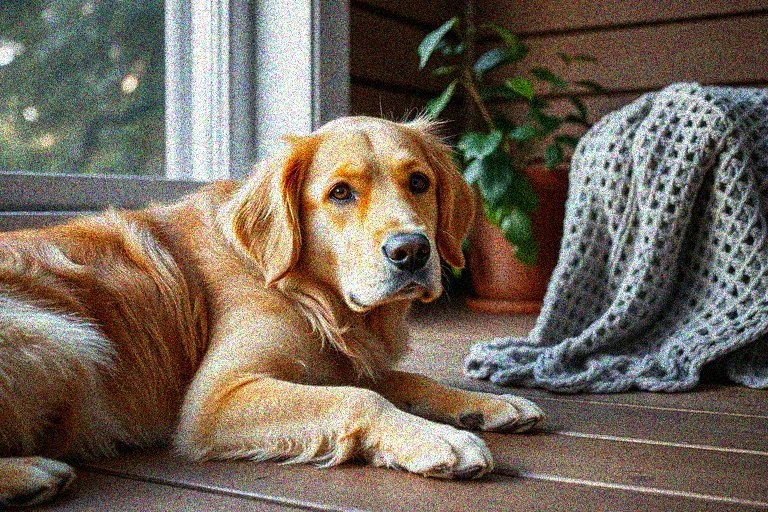
The photos of the first digital cameras and phones are often small by today’s standards, grainy as soon as the light dropped, and squeezed by heavy JPEG compression. On a modern screen or in a print they look poor. Much of that can be fixed: here is how, with Nitidea.
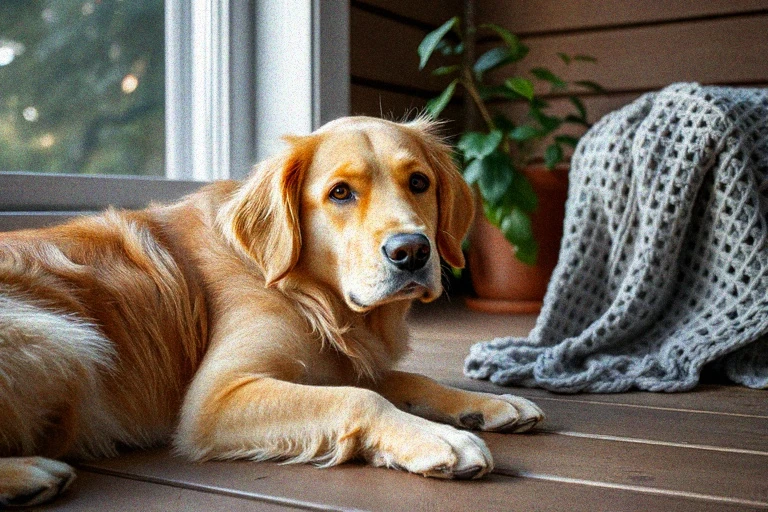 BeforeAfter
Why they look the way they do
Early cameras and phones had small sensors and few megapixels, so their photos are small next to today’s screens and prints. Small sensors are noisy in dim light: evenings, parties and indoor shots come out covered in coloured grain. And to fit on small memory cards, the photos were saved with strong compression, which leaves blocks around edges.
What to do in Nitidea
- Grainy but large enough: Sharper, It’s grainy. The photo keeps its size; the result opens at 100%, before and after, and Cleaning strength, in Settings, makes it gentler or stronger.
- Small: Bigger, 2 times or 4 times. Noise and JPEG blocks are cleaned along the way, so there is no need to remove them first.
- Blocky from compression, size fine: Sharper, Soft or from a chat.
- For a print: Bigger, To print, and the paper size. Each photo is enlarged just enough to print sharp at 300 dpi.
- A whole memory card’s worth: with Pro, add the folder and enhance every photo in one go.
What stays as it was
Nitidea opens JPEG, BMP and TIFF as old cameras saved them, and carries the date, camera and colour profile over to the result, so your photos stay in order in any album or app. The original is never changed: the result is a new file.
A photo blurred by a shaking hand or missed focus improves, but cannot become perfectly sharp; and small faces in an enlarged photo get detail the AI judges likely, not a record of the person. Keep the originals.
Questions
Will the photos keep their dates?
Yes. Date, camera and colour profile go from the original to the result, so they sort correctly in any photo app.
Which version do I need?
The free version makes photos sharper and enlarges them 2 times, one photo at a time, up to 8 megapixels or the original’s size, with no watermark. Pro adds 4 times, Maximum quality and whole folders at once.
Are the photos uploaded?
No. Everything happens on your PC, and the app sends nothing about your photos.
The step-by-step guide: enlarging, noise, chat photos, prints, old photos →
Give your first digital photos a second life
Download Nitidea and try it on a few photos from that old memory card.
Free version with no watermark and no time limit. Pro: 19 € + VAT once, 12 months of updates, on 2 PCs.
More use cases
Enhance photos offline
Online photo enhancers or an app on your PC: where your photos go, limits and costs.
AI enlargement vs resizing
Why a photo stretched in an image editor goes soft, and what AI enlargement does differently.
Without a subscription
Subscriptions, credits or a one-time license: what each costs you over time.
Digitising a photo album
Scan, repair, archive and reprint a family album, without sending it anywhere.